Query banks — and steering them with comments
What a query bank is, the four question levels, how to build and top it up, and the trick most people miss: steering generation with comments.
Every check pulls its questions from a query bank — a saved list of questions about your niche. You can keep up to 10 banks and switch between them; one is marked with a ★ as your main bank (the one your daily check uses).
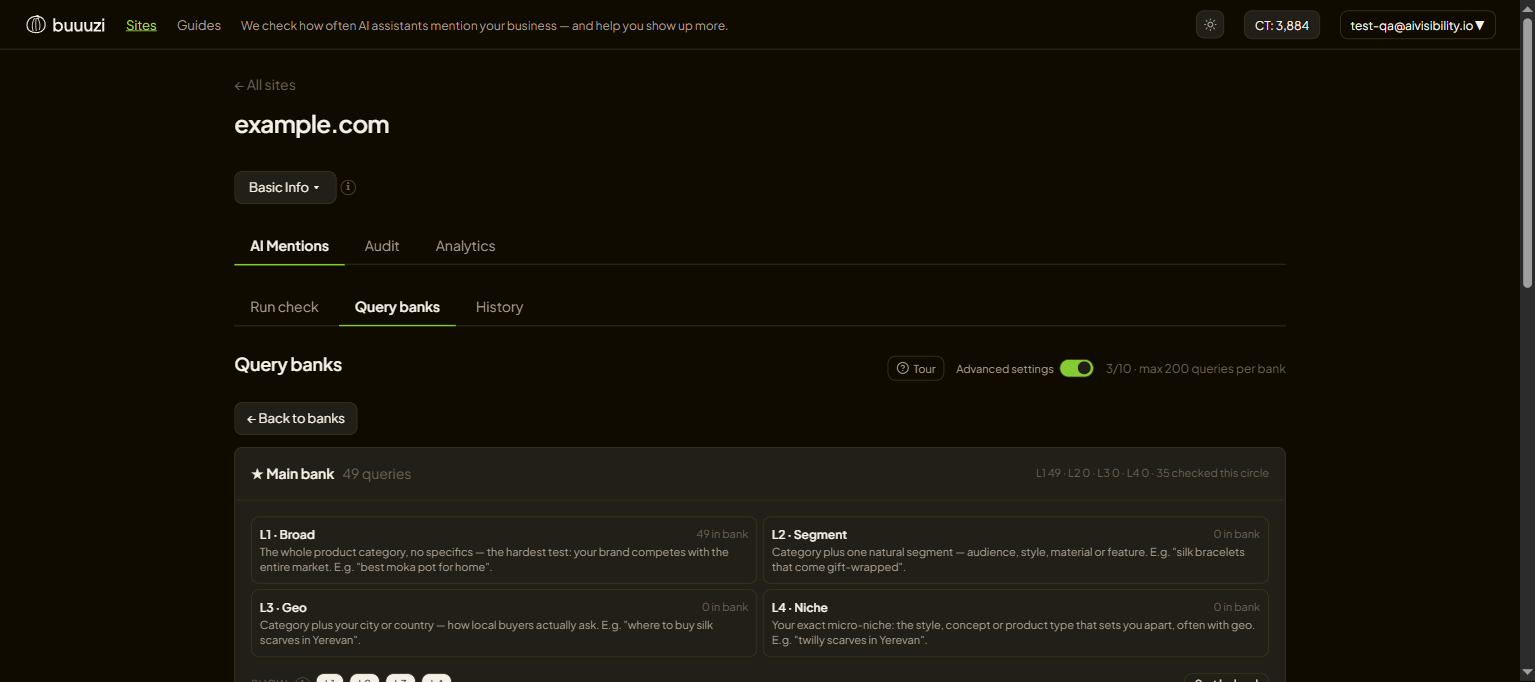
The four question levels
Questions come in four levels, from general to specific:
- L1 — Broad: your whole topic ("best project management tool").
- L2 — Segment: topic plus an audience or style ("project tool for creative agencies").
- L3 — Geo: topic plus a place ("project management software in Canada").
- L4 — Niche: your exact corner ("client-facing project tool with white-label portals").
A healthy bank has a mix. Broad questions test whether you exist in the big conversations; niche ones test whether you own your specialty.
Building and growing a bank
- New bank — AI writes a fresh set for you. Pick how many of each level.
- Top up — refills a bank to the standard size, adding only what is missing (nothing gets deleted).
- Add your own — type questions you care about by hand. Free, no AI.
Steering the AI with comments — the part most people miss
When you create a bank or use Generate more with AI, there is a comment box. It tells the model what to focus on — and it is the single most useful lever you have.
Examples that change what gets generated:
- "Focus on gift scenarios, skip repair topics."
- "Questions the way small-business owners actually phrase them."
- "Compare us against other CRMs, not against spreadsheets."
Generic questions measure generic visibility. Comments aim the bank at the exact conversations that bring you customers — so your Visibility Rate reflects the questions that matter, not random ones. It costs nothing extra.
Next: Running checks and reading results and Track your progress over time.
Keep reading
Running checks and reading results
How to run an AI visibility check, choose how deep to ask and which assistants to use, and read everything that comes back.
Track your progress over time
How to tell whether your AI visibility is actually improving — the History tab, the Analytics trend, and filters that isolate what changed.