Running checks and reading results
How to run an AI visibility check, choose how deep to ask and which assistants to use, and read everything that comes back.
A check is the core action in buuuzi. It sends questions from your query bank to ChatGPT, Perplexity, Gemini and Claude, records every answer, and pulls out which brands were mentioned — including yours.
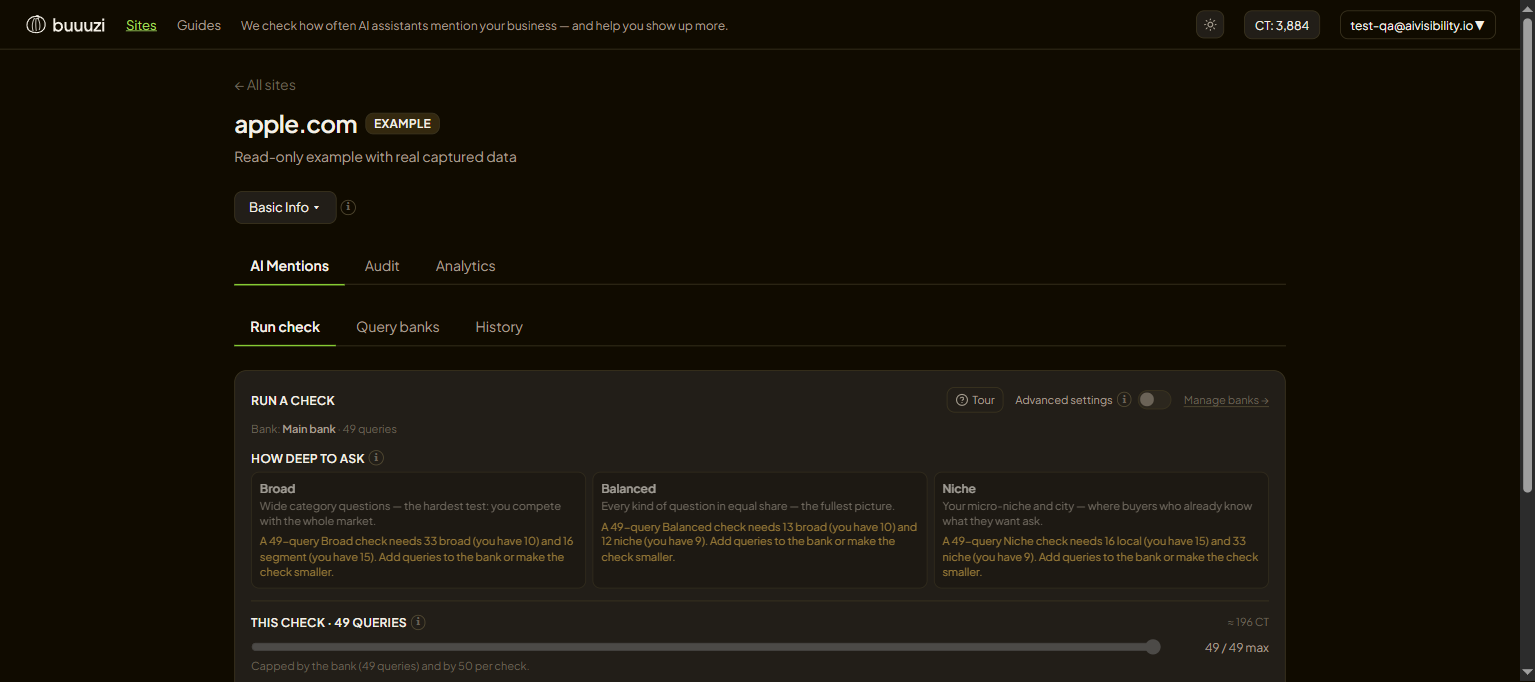
Choosing how deep to ask
The first choice is depth — how general or specific the questions are:
- Broad — big, common questions many people ask ("best CRM for small business").
- Balanced — a mix across the range.
- Niche — detailed, long-tail questions ("CRM with offline mode for field teams in Berlin").
Pick a preset and buuuzi builds the right mix for you. Broad shows whether you exist in the big conversations; Niche shows whether you own your exact corner. Most brands run both over time.
How many questions and which assistants
- How many questions — more questions give a clearer picture but cost a little more. The estimate on the right shows the cost.
- Which assistants — by default all four. Turn any off if you only care about some.
Advanced options
Flip Advanced settings for more control:
- Bank — which set of questions to use (your daily auto-check always uses the main one).
- Question levels (L1–L4) — from your whole topic down to your exact micro-niche.
- Focus slider — shift the mix toward broad or specific.
- Rotate — each check picks questions it has not asked yet, so you cover the whole bank over time instead of repeating.
- Scheduled check — run one automatically every day, so your visibility tracks itself.
Reading the results
Open a finished check from History. It splits into a few parts:
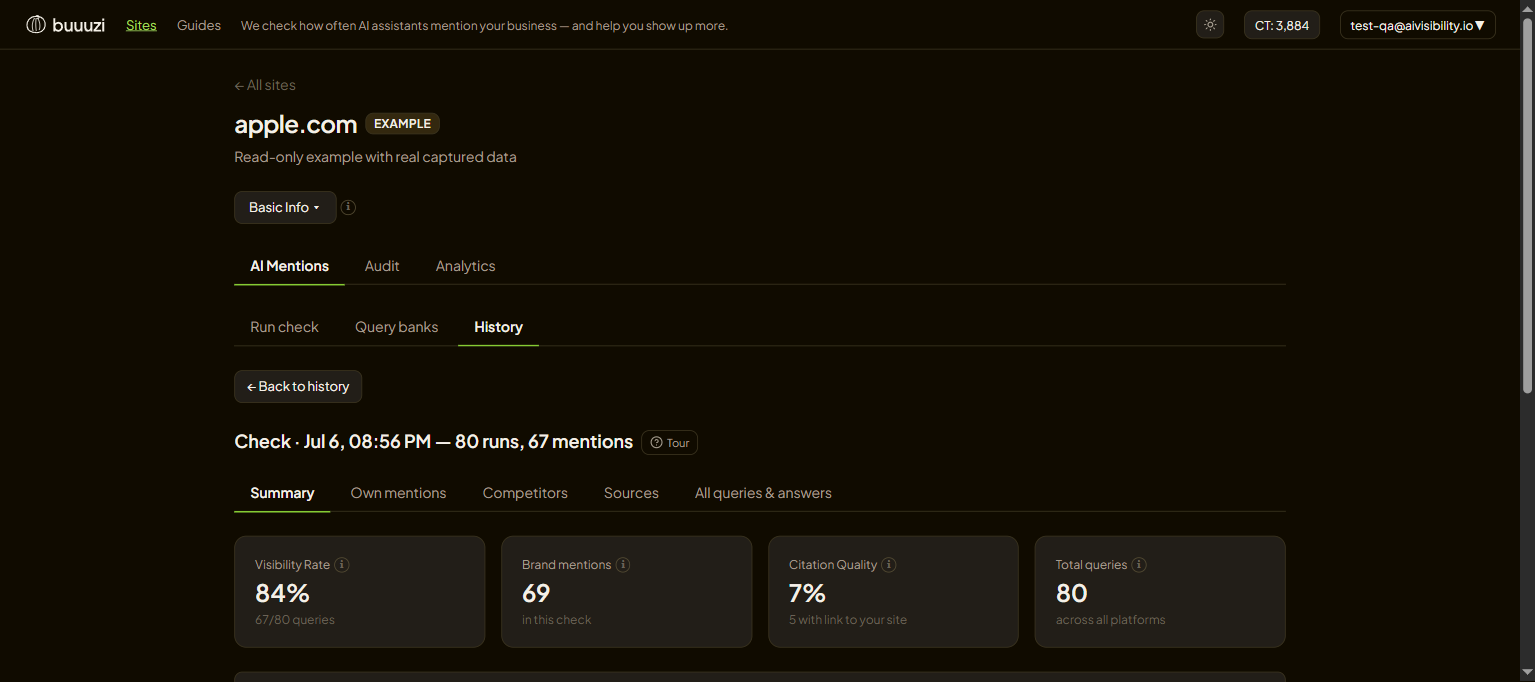
- Visibility Rate — the share of answers that mentioned you. This is the headline number.
- Brand mentions — how many times you came up in total.
- Mention sentiment — the tone when you are named: positive, neutral or negative.
- How you are mentioned — where in the answer you appear (start / middle / end) and the part you play (a recommendation, a comparison, an example…).
- Competitors — other brands the AI named in the same answers.
- Sources — the websites the AI leaned on. Getting your own site here means AI treats it as trusted.
- All queries & answers — read the raw answers, exactly as the assistants wrote them.
Next: shape what gets asked in Query banks, and track progress in Track your progress over time.
Keep reading
Query banks — and steering them with comments
What a query bank is, the four question levels, how to build and top it up, and the trick most people miss: steering generation with comments.
Track your progress over time
How to tell whether your AI visibility is actually improving — the History tab, the Analytics trend, and filters that isolate what changed.